4. Library Examples
All the following examples simulate a basic communication chain with a BPSK modem and a repetition code over an AWGN channel. The BER/FER results are calculated from 0.0 dB to 10.0 dB with a 1.0 dB step.
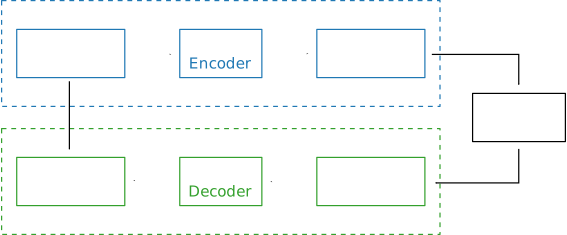
Fig. 4.1 Simulated communication chain.
Note
All the following examples of code are available in a dedicated GitHub repository: https://github.com/aff3ct/my_project_with_aff3ct. Sometime the full source codes in the repository may slightly differ from the ones on this page, but the philosophy remains the same.
This documentation is organized into four small, progressive examples. We strongly encourage the reader to proceed to the Sequence section (included), as this is where the full potential of AFF3CT is unleashed.
4.1. Bootstrap
The bootstrap example is the easiest way to start using the AFF3CT library. It
is based on C++ classes and methods that operate on buffers. Keep in mind
that this is the simplest way to use AFF3CT, but not the most powerful way.
More advanced features such as benchmarking, debugging, command line
interfacing, and more are illustrated in the Tasks,
Factory and Sequence examples.
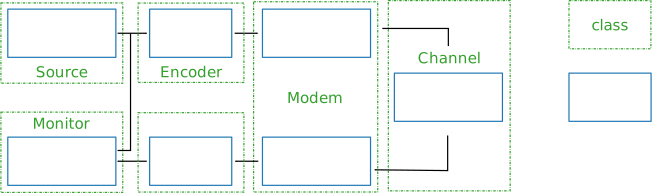
Fig. 4.2 Simulated communication chain: classes and methods.
Fig. 4.2 illustrates the source code: green boxes
correspond to classes, blue boxes correspond to methods, and arrows represent
buffers. Some of the AFF3CT classes inherit from the Module abstract
class. Generally speaking, any class defining methods for a communication chain
is a module (green boxes in Fig. 4.2).
 1#include <aff3ct.hpp>
 2using namespace aff3ct;
 3
 4int main(int argc, char** argv)
 5{
 6        params1 p;  init_params1 (p   ); // create and initialize the parameters defined by the user
 7        modules1 m; init_modules1(p, m); // create and initialize modules
 8        buffers1 b; init_buffers1(p, b); // create and initialize the buffers required by the modules
 9        utils1 u;   init_utils1  (m, u); // create and initialize utils
10
11        // display the legend in the terminal
12        u.terminal->legend();
13
14        // loop over SNRs range
15        for (auto ebn0 = p.ebn0_min; ebn0 < p.ebn0_max; ebn0 += p.ebn0_step)
16        {
17                // compute the current sigma for the channel noise
18                const auto esn0 = tools::ebn0_to_esn0(ebn0, p.R);
19                std::fill(b.sigma.begin(), b.sigma.end(), tools::esn0_to_sigma(esn0));
20
21                u.noise->set_values(b.sigma[0], ebn0, esn0);
22
23                // display the performance (BER and FER) in real time (in a separate thread)
24                u.terminal->start_temp_report();
25
26                // run the simulation chain
27                while (!m.monitor->fe_limit_achieved())
28                {
29                        m.source ->generate    (                          b.ref_bits,     b.ref_count);
30                        m.encoder->encode      (         b.ref_bits,      b.enc_bits                 );
31                        m.modem  ->modulate    (         b.enc_bits,      b.symbols                  );
32                        m.channel->add_noise   (b.sigma, b.symbols,       b.noisy_symbols            );
33                        m.modem  ->demodulate  (b.sigma, b.noisy_symbols, b.LLRs                     );
34                        m.decoder->decode_siho (         b.LLRs,          b.dec_bits                 );
35                        m.monitor->check_errors(         b.dec_bits,      b.ref_bits                 );
36                }
37
38                // display the performance (BER and FER) in the terminal
39                u.terminal->final_report();
40
41                // reset the monitor for the next SNR
42                m.monitor->reset();
43        }
44
45        return 0;
46}
Listing 4.1 gives an overview of what can be achieved with
the AFF3CT library. The firsts lines 6-9 are dedicated to the objects
instantiations and buffers allocation through dedicated structures. p
contains the simulation parameters, b contains the buffers required by
the modules, m contains the modules of the communication chain and u is
a set of convenient helper objects.
Line 15 loops over the desired SNRs range. Lines 27-36, the while
loop iterates until 100 frame errors have been detected by the monitor. The
AFF3CT communication chain methods are called inside this loop. Each AFF3CT
method works on input(s) and/or output(s) buffer(s) that have been declared at
line 8. Those buffers can be std::vector, or pointers to user-allocated
memory areas. The sizes and the types of those buffers have to be set in
accordance with the corresponding sizes and types of the AFF3CT modules
declared at line 7. If there is a size and/or type mismatch, the AFF3CT
library throws an exception. The AFF3CT modules are classes that use the C++
meta-programming technique (e.g. C++ templates). By default those templates
are instantiated to int32_t or float.
 1struct params1
 2{
 3        int   K         =  32;     // number of information bits
 4        int   N         = 128;     // codeword size
 5        int   fe        = 100;     // number of frame errors
 6        int   seed      =   0;     // PRNG seed for the AWGN channel
 7        float ebn0_min  =   0.00f; // minimum SNR value
 8        float ebn0_max  =  10.01f; // maximum SNR value
 9        float ebn0_step =   1.00f; // SNR step
10        float R;                   // code rate (R=K/N)
11};
12
13void init_params1(params1 &p)
14{
15        p.R = (float)p.K / (float)p.N;
16}
Listing 4.2 describes the params1 simulation structure
and the init_params1 function used at line 6 in
Listing 4.1.
 1struct modules1
 2{
 3        std::unique_ptr<spu::module::Source_random<>>          source;
 4        std::unique_ptr<     module::Encoder_repetition_sys<>> encoder;
 5        std::unique_ptr<     module::Modem_BPSK<>>             modem;
 6        std::unique_ptr<     module::Channel_AWGN_LLR<>>       channel;
 7        std::unique_ptr<     module::Decoder_repetition_std<>> decoder;
 8        std::unique_ptr<     module::Monitor_BFER<>>           monitor;
 9};
10
11void init_modules1(const params1 &p, modules1 &m)
12{
13        m.source  = std::unique_ptr<spu::module::Source_random         <>>(new spu::module::Source_random         <>(p.K        ));
14        m.encoder = std::unique_ptr<     module::Encoder_repetition_sys<>>(new      module::Encoder_repetition_sys<>(p.K, p.N   ));
15        m.modem   = std::unique_ptr<     module::Modem_BPSK            <>>(new      module::Modem_BPSK            <>(p.N        ));
16        m.channel = std::unique_ptr<     module::Channel_AWGN_LLR      <>>(new      module::Channel_AWGN_LLR      <>(p.N, p.seed));
17        m.decoder = std::unique_ptr<     module::Decoder_repetition_std<>>(new      module::Decoder_repetition_std<>(p.K, p.N   ));
18        m.monitor = std::unique_ptr<     module::Monitor_BFER          <>>(new      module::Monitor_BFER          <>(p.K, p.fe  ));
19};
Listing 4.1 describes the modules1 structure and the
init_modules1 function used at line 7 in Listing 4.1.
The init_modules1 function allocates the modules of the communication chain.
Those modules are allocated on the heap and managed by smart pointers
(std::unique_ptr). Note that the init_modules1 function takes a
params1 structure from Listing 4.2 in parameter. These
parameters are used to build the modules.
Note
The Source_random module is prefixed by spu (meaning it is in
the spu namespace and not in aff3ct). This is different from the other
modules and this is because the Source_random class is defined in
the StreamPU library (and NOT in AFF3CT).
 1struct buffers1
 2{
 3        std::vector<int     > ref_bits;
 4        std::vector<uint32_t> ref_count;
 5        std::vector<int     > enc_bits;
 6        std::vector<float   > symbols;
 7        std::vector<float   > sigma;
 8        std::vector<float   > noisy_symbols;
 9        std::vector<float   > LLRs;
10        std::vector<int     > dec_bits;
11};
12
13void init_buffers1(const params1 &p, buffers1 &b)
14{
15        b.ref_bits      = std::vector<int     >(p.K);
16        b.ref_count     = std::vector<uint32_t>(  1);
17        b.enc_bits      = std::vector<int     >(p.N);
18        b.symbols       = std::vector<float   >(p.N);
19        b.sigma         = std::vector<float   >(  1);
20        b.noisy_symbols = std::vector<float   >(p.N);
21        b.LLRs          = std::vector<float   >(p.N);
22        b.dec_bits      = std::vector<int     >(p.K);
23}
Listing 4.4 describes the buffers1 structure and the
init_buffers1 function used at line 8 in Listing 4.1.
The init_buffers1 function allocates the buffers of the communication chain.
Here, we chose to allocate buffers as instances of the std::vector C++
standard class. As for the modules in Listing 4.3, the size
of the buffers is obtained from the params1 input structure (cf.
Listing 4.2).
 1struct utils1
 2{
 3        std::unique_ptr<tools::Sigma<>>                    noise;     // a sigma noise type
 4        std::vector<std::unique_ptr<spu::tools::Reporter>> reporters; // list of reporters dispayed in the terminal
 5        std::unique_ptr<spu::tools::Terminal_std>          terminal;  // manage the output text in the terminal
 6};
 7
 8void init_utils1(const modules1 &m, utils1 &u)
 9{
10        // create a sigma noise type
11        u.noise = std::unique_ptr<tools::Sigma<>>(new tools::Sigma<>());
12        // report the noise values (Es/N0 and Eb/N0)
13        u.reporters.push_back(std::unique_ptr<spu::tools::Reporter>(new tools::Reporter_noise<>(*u.noise)));
14        // report the bit/frame error rates
15        u.reporters.push_back(std::unique_ptr<spu::tools::Reporter>(new tools::Reporter_BFER<>(*m.monitor)));
16        // report the simulation throughputs
17        u.reporters.push_back(std::unique_ptr<spu::tools::Reporter>(new tools::Reporter_throughput<>(*m.monitor)));
18        // create a terminal that will display the collected data from the reporters
19        u.terminal = std::unique_ptr<spu::tools::Terminal_std>(new spu::tools::Terminal_std(u.reporters));
20}
Listing 4.5 describes the utils1 structure and the
init_utils1 function used at line 9 in Listing 4.1. The
init_utils1 function allocates 1) the noise object that contains the
type of noise we want to simulate (e.g. sigma), 2) a terminal object that
takes care of printing the BER/FER to the console. Three reporters are created,
one to print SNR, second one to print BER/FER, and the last one to report the
simulation throughput in the terminal.
If you run the bootstrap example, the expected output is shown in Listing 4.6.
# ---------------------||------------------------------------------------------||---------------------
#  Signal Noise Ratio  ||   Bit Error Rate (BER) and Frame Error Rate (FER)    ||  Global throughput
#         (SNR)        ||                                                      ||  and elapsed time
# ---------------------||------------------------------------------------------||---------------------
# ----------|----------||----------|----------|----------|----------|----------||----------|----------
#     Es/N0 |    Eb/N0 ||      FRA |       BE |       FE |      BER |      FER ||  SIM_THR |    ET/RT
#      (dB) |     (dB) ||          |          |          |          |          ||   (Mb/s) | (hhmmss)
# ----------|----------||----------|----------|----------|----------|----------||----------|----------
      -6.02 |     0.00 ||      108 |      262 |      100 | 7.58e-02 | 9.26e-01 ||    2.382 | 00h00'00
      -5.02 |     1.00 ||      125 |      214 |      100 | 5.35e-02 | 8.00e-01 ||    4.813 | 00h00'00
      -4.02 |     2.00 ||      136 |      179 |      100 | 4.11e-02 | 7.35e-01 ||    3.804 | 00h00'00
      -3.02 |     3.00 ||      210 |      135 |      100 | 2.01e-02 | 4.76e-01 ||    4.516 | 00h00'00
      -2.02 |     4.00 ||      327 |      122 |      100 | 1.17e-02 | 3.06e-01 ||    5.157 | 00h00'00
      -1.02 |     5.00 ||      555 |      112 |      100 | 6.31e-03 | 1.80e-01 ||    4.703 | 00h00'00
      -0.02 |     6.00 ||     1619 |      108 |      100 | 2.08e-03 | 6.18e-02 ||    4.110 | 00h00'00
       0.98 |     7.00 ||     4566 |      102 |      100 | 6.98e-04 | 2.19e-02 ||    4.974 | 00h00'00
       1.98 |     8.00 ||    15998 |      100 |      100 | 1.95e-04 | 6.25e-03 ||    4.980 | 00h00'00
       2.98 |     9.00 ||    93840 |      100 |      100 | 3.33e-05 | 1.07e-03 ||    5.418 | 00h00'00
       3.98 |    10.00 ||   866433 |      100 |      100 | 3.61e-06 | 1.15e-04 ||    4.931 | 00h00'05
Note
The full source code is available here: https://github.com/aff3ct/my_project_with_aff3ct/blob/develop/examples/bootstrap/src/main.cpp.
4.2. Tasks
Inside a Module class, there can be many public methods; however,
only some of them are directly used in the communication chain. A method usable
in a chain is named a Task. A Task is characterized by its behavior and
its data: the input and output data are declared via a collection of Socket
objects.
 1#include <aff3ct.hpp>
 2using namespace aff3ct;
 3
 4int main(int argc, char** argv)
 5{
 6        // enable auto allocation of the output sockets
 7        spu::tools::Buffer_allocator::set_task_autoalloc(true);
 8
 9        params1  p; init_params1 (p   ); // create and initialize the parameters defined by the user
10        modules1 m; init_modules2(p, m); // create and initialize modules
11        // the 'init_buffers1' function is not required anymore
12        utils1   u; init_utils1  (m, u); // create and initialize the utils
13
14        // display the legend in the terminal
15        u.terminal->legend();
16
17        // sockets binding (connect sockets of successive tasks in the chain: the output socket of a task fills the input socket of the next task in the chain)
18        (*m.encoder)[      "encode::U_K" ] = (*m.source )[   "generate::out_data"];
19        (*m.modem  )[    "modulate::X_N1"] = (*m.encoder)[     "encode::X_N"     ];
20        (*m.channel)[   "add_noise::X_N" ] = (*m.modem  )[   "modulate::X_N2"    ];
21        (*m.modem  )[  "demodulate::Y_N1"] = (*m.channel)[  "add_noise::Y_N"     ];
22        (*m.decoder)[ "decode_siho::Y_N" ] = (*m.modem  )[ "demodulate::Y_N2"    ];
23        (*m.monitor)["check_errors::U"   ] = (*m.source )[   "generate::out_data"];
24        (*m.monitor)["check_errors::V"   ] = (*m.decoder)["decode_siho::V_K"     ];
25        std::vector<float> sigma(1);
26        (*m.channel)[   "add_noise::CP"  ] = sigma;
27        (*m.modem  )[  "demodulate::CP"  ] = sigma;
28
29        // loop over the range of SNRs
30        for (auto ebn0 = p.ebn0_min; ebn0 < p.ebn0_max; ebn0 += p.ebn0_step)
31        {
32                // compute the current sigma for the channel noise
33                const auto esn0 = tools::ebn0_to_esn0(ebn0, p.R);
34                std::fill(sigma.begin(), sigma.end(), tools::esn0_to_sigma(esn0));
35
36                u.noise->set_values(sigma[0], ebn0, esn0);
37
38                // display the performance (BER and FER) in real time (in a separate thread)
39                u.terminal->start_temp_report();
40
41                // run the simulation chain
42                while (!m.monitor->fe_limit_achieved())
43                {
44                        (*m.source )[spu::module::src::tsk::generate    ].exec();
45                        (*m.encoder)[     module::enc::tsk::encode      ].exec();
46                        (*m.modem  )[     module::mdm::tsk::modulate    ].exec();
47                        (*m.channel)[     module::chn::tsk::add_noise   ].exec();
48                        (*m.modem  )[     module::mdm::tsk::demodulate  ].exec();
49                        (*m.decoder)[     module::dec::tsk::decode_siho ].exec();
50                        (*m.monitor)[     module::mnt::tsk::check_errors].exec();
51                }
52
53                // display the performance (BER and FER) in the terminal
54                u.terminal->final_report();
55
56                // reset the monitor and the terminal for the next SNR
57                m.monitor->reset();
58        }
59
60        // display the statistics of the tasks (if enabled)
61        spu::tools::Stats::show({ m.source.get(), m.encoder.get(), m.modem.get(), m.channel.get(), m.decoder.get(), m.monitor.get() }, true);
62
63        return 0;
64}
Listing 4.7 shows how the Module, Task and Socket
objects work together. Line 7, init_modules2 differs slightly from the
previous init_modules1 function, Listing 4.8 details the
changes.
Thanks to the use of Task and Socket objects, it is now possible to skip
the buffer allocation part (see lines 6-7 and line 11 has been removed),
which is handled transparently by these objects. For that, the connections
between the sockets of successive tasks in the chain have to be established
explicitly: this is the binding process shown at lines 17-27, using the
operator= method. In return, to execute the tasks (lines 44-50), we now
only need to call the exec method, without any parameters.
Using the bind (or operator=) and exec methods bring new useful
features for debugging and benchmarking. In Listing 4.7, some
statistics about tasks are collected and reported at lines 60-61 (see the
--sim-stats section for more informations about the statistics output).
 1void init_modules2(const params1 &p, modules1 &m)
 2{
 3        m.source  = std::unique_ptr<spu::module::Source_random         <>>(new spu::module::Source_random         <>(p.K        ));
 4        m.encoder = std::unique_ptr<     module::Encoder_repetition_sys<>>(new      module::Encoder_repetition_sys<>(p.K, p.N   ));
 5        m.modem   = std::unique_ptr<     module::Modem_BPSK            <>>(new      module::Modem_BPSK            <>(p.N        ));
 6        m.channel = std::unique_ptr<     module::Channel_AWGN_LLR      <>>(new      module::Channel_AWGN_LLR      <>(p.N, p.seed));
 7        m.decoder = std::unique_ptr<     module::Decoder_repetition_std<>>(new      module::Decoder_repetition_std<>(p.K, p.N   ));
 8        m.monitor = std::unique_ptr<     module::Monitor_BFER          <>>(new      module::Monitor_BFER          <>(p.K, p.fe  ));
 9
10        // configuration of the module tasks
11        std::vector<const spu::module::Module*> modules_list = { m.source.get(), m.encoder.get(), m.modem.get(), m.channel.get(), m.decoder.get(), m.monitor.get() };
12        for (auto& mod : modules_list)
13                for (auto& tsk : mod->tasks)
14                {
15                        tsk->set_debug      (false); // disable the debug mode
16                        tsk->set_debug_limit(16   ); // display only the 16 first bits if the debug mode is enabled
17                        tsk->set_stats      (true ); // enable statistics collection
18
19                        // enable fast mode (= disable optional checks in the tasks) if there is no debug and stats modes
20                        if (!tsk->is_debug() && !tsk->is_stats())
21                                tsk->set_fast(true);
22                }
23}
The beginning of the init_modules2 function (Listing 4.8) is
the same as the init_module1 function (Listing 4.3). At
lines 10-22, each Module is parsed to get its tasks, each Task is
configured to automatically collect statistics on the Task execution (line
17). It is also possible to print debug information by toggling boolean to
true at line 15.
Note
The full source code is available here: https://github.com/aff3ct/my_project_with_aff3ct/blob/develop/examples/tasks/src/main.cpp.
4.3. Factory
In the previous Bootstrap and Tasks
examples, the AFF3CT Module classes were built statically in the source
code. In the Factory example, factory classes are used instead, to build
modules dynamically from command line arguments.
 1#include <aff3ct.hpp>
 2using namespace aff3ct;
 3
 4int main(int argc, char** argv)
 5{
 6        params3  p; init_params3 (argc, argv, p); // create and initialize the parameters from the command line with factories
 7        modules3 m; init_modules3(p, m         ); // create and initialize modules
 8        utils1   u; init_utils3  (p, m, u      ); // create and initialize utils
 9
10        // [...]
11
12        // display the statistics of the tasks (if enabled)
13        spu::tools::Stats::show({ m.source.get(), m.modem.get(), m.channel.get(), m.monitor.get(), m.encoder, m.decoder }, true);
14
15        return 0;
16}
The main function in Listing 4.9 is almost unchanged from the
main function in Listing 4.7.
 1struct params3
 2{
 3        float ebn0_min  =  0.00f; // minimum SNR value
 4        float ebn0_max  = 10.01f; // maximum SNR value
 5        float ebn0_step =  1.00f; // SNR step
 6        float R;                  // code rate (R=K/N)
 7
 8        std::unique_ptr<factory::Source          > source;
 9        std::unique_ptr<factory::Codec_repetition> codec;
10        std::unique_ptr<factory::Modem           > modem;
11        std::unique_ptr<factory::Channel         > channel;
12        std::unique_ptr<factory::Monitor_BFER    > monitor;
13        std::unique_ptr<factory::Terminal        > terminal;
14};
15
16void init_params3(int argc, char** argv, params3 &p)
17{
18        p.source   = std::unique_ptr<factory::Source          >(new factory::Source          ());
19        p.codec    = std::unique_ptr<factory::Codec_repetition>(new factory::Codec_repetition());
20        p.modem    = std::unique_ptr<factory::Modem           >(new factory::Modem           ());
21        p.channel  = std::unique_ptr<factory::Channel         >(new factory::Channel         ());
22        p.monitor  = std::unique_ptr<factory::Monitor_BFER    >(new factory::Monitor_BFER    ());
23        p.terminal = std::unique_ptr<factory::Terminal        >(new factory::Terminal        ());
24
25        std::vector<factory::Factory*> params_list = { p.source .get(), p.codec  .get(), p.modem   .get(),
26                                                       p.channel.get(), p.monitor.get(), p.terminal.get() };
27
28        // parse command line arguments for the given parameters and fill them
29        tools::Command_parser cp(argc, argv, params_list, true);
30        if (cp.parsing_failed())
31        {
32                cp.print_help    ();
33                cp.print_warnings();
34                cp.print_errors  ();
35                std::exit(1);
36        }
37
38        std::cout << "# Simulation parameters: " << std::endl;
39        tools::Header::print_parameters(params_list); // display the headers (= print the AFF3CT parameters on the screen)
40        std::cout << "#" << std::endl;
41        cp.print_warnings();
42
43        p.R = (float)p.codec->enc->K / (float)p.codec->enc->N_cw; // compute the code rate
44}
The params3 structure from Listing 4.10 contains some
pointers to factory objects (lines 8-13). SNR parameters remain static is
this examples.
The init_params3 function takes two new input arguments from the command
line: argc and argv. The function first allocates the factories (lines
18-23) and then those factories are supplied with parameters from the
command line (line 29) thanks to the tools::Command_parser class.
Lines 38-41, the parameters from the factories are printed to the terminal.
Note that in this example a repetition code is used, however it is very easy to
select another code type, for instance by replacing repetition line 9
and line 19 by polar to work with polar code.
 1struct modules3
 2{
 3        std::unique_ptr<spu::module::Source<>>       source;
 4        std::unique_ptr<     tools ::Codec_SIHO<>>   codec;
 5        std::unique_ptr<     module::Modem<>>        modem;
 6        std::unique_ptr<     module::Channel<>>      channel;
 7        std::unique_ptr<     module::Monitor_BFER<>> monitor;
 8                             module::Encoder<>*      encoder;
 9                             module::Decoder_SIHO<>* decoder;
10};
11
12void init_modules3(const params3 &p, modules3 &m)
13{
14        m.source  = std::unique_ptr<spu::module::Source      <>>(p.source ->build());
15        m.codec   = std::unique_ptr<     tools ::Codec_SIHO  <>>(p.codec  ->build());
16        m.modem   = std::unique_ptr<     module::Modem       <>>(p.modem  ->build());
17        m.channel = std::unique_ptr<     module::Channel     <>>(p.channel->build());
18        m.monitor = std::unique_ptr<     module::Monitor_BFER<>>(p.monitor->build());
19        m.encoder = m.codec->get_encoder().get();
20        m.decoder = m.codec->get_decoder_siho().get();
21
22        // configuration of the module tasks
23        std::vector<const spu::module::Module*> modules_list = { m.source.get(), m.modem.get(), m.channel.get(), m.monitor.get(), m.encoder, m.decoder };
24        for (auto& mod : modules_list)
25                for (auto& tsk : mod->tasks)
26                {
27                        tsk->set_debug      (false); // disable the debug mode
28                        tsk->set_debug_limit(16   ); // display only the 16 first bits if the debug mode is enabled
29                        tsk->set_stats      (true ); // enable the statistics
30
31                        // enable the fast mode (= disable the useless verifs in the tasks) if there is no debug and stats modes
32                        if (!tsk->is_debug() && !tsk->is_stats())
33                                tsk->set_fast(true);
34                }
35}
In Listing 4.11 the modules3 structure changes a little bit
because a Codec class is used to aggregate the Encoder and the
Decoder together. In the init_modules3 the factories allocated in
Listing 4.10 are used to build the modules (lines 14-18).
 1void init_utils3(const params3 &p, const modules3 &m, utils1 &u)
 2{
 3        // create a sigma noise type
 4        u.noise = std::unique_ptr<tools::Sigma<>>(new tools::Sigma<>());
 5        // report noise values (Es/N0 and Eb/N0)
 6        u.reporters.push_back(std::unique_ptr<spu::tools::Reporter>(new tools::Reporter_noise<>(*u.noise)));
 7        // report bit/frame error rates
 8        u.reporters.push_back(std::unique_ptr<spu::tools::Reporter>(new tools::Reporter_BFER<>(*m.monitor)));
 9        // report simulation throughputs
10        u.reporters.push_back(std::unique_ptr<spu::tools::Reporter>(new tools::Reporter_throughput<>(*m.monitor)));
11        // create a terminal object that will display the collected data from the reporters
12        u.terminal = std::unique_ptr<spu::tools::Terminal>(p.terminal->build(u.reporters));
13}
In the Listing 4.12, the init_utils3 changes a little bit
from the init_utils1 function (Listing 4.5) because at
line 12 a factory is used to build the terminal.
To execute the binary it is now required to specify the number of information bits K and the frame size N as shown in Listing 4.13.
./bin/my_project -K 32 -N 128
Be aware that many other parameters can be set from the command line. The
parameters list can be seen using -h as shown in
Listing 4.14.
./bin/my_project -h
Those parameters are documented in the Parameters section.
Note
The full source code is available here: https://github.com/aff3ct/my_project_with_aff3ct/blob/develop/examples/factory/src/main.cpp.
4.4. Sequence
In the previous examples the code is mono-threaded. To take advantage of today multi-core CPUs some modifications have to be made. This example starts from the previous Factory example and adapts it to work on multi-threaded architectures using StreamPU runtime, native to AFF3CT.
 1int main(int argc, char** argv)
 2{
 3        params3  p; init_params3 (argc, argv, p); // create and initialize the parameters from the command line with factories
 4        modules3 m; init_modules3(p, m         ); // create and initialize the modules
 5
 6        // sockets binding (connect the sockets of the tasks = fill the input sockets with the output sockets)
 7        (*m.encoder)[      "encode::U_K" ] = (*m.source )[   "generate::out_data"];
 8        (*m.modem  )[    "modulate::X_N1"] = (*m.encoder)[     "encode::X_N"     ];
 9        (*m.channel)[   "add_noise::X_N" ] = (*m.modem  )[   "modulate::X_N2"    ];
10        (*m.modem  )[  "demodulate::Y_N1"] = (*m.channel)[  "add_noise::Y_N"     ];
11        (*m.decoder)[ "decode_siho::Y_N" ] = (*m.modem  )[ "demodulate::Y_N2"    ];
12        (*m.monitor)["check_errors::U"   ] = (*m.source )[   "generate::out_data"];
13        (*m.monitor)["check_errors::V"   ] = (*m.decoder)["decode_siho::V_K"     ];
14        std::vector<float> sigma(1);
15        (*m.channel)[   "add_noise::CP"  ] = sigma;
16        (*m.modem  )[  "demodulate::CP"  ] = sigma;
17
18        utils2 u; init_utils4(p, m, u); // create and initialize the utils
19
20        // set the noise
21        m.codec->set_noise(*u.noise);
22        for (auto &m : u.sequence->get_modules<tools::Interface_get_set_noise>())
23                m->set_noise(*u.noise);
24
25        // registering to noise updates
26        u.noise->record_callback_update([&m](){ m.codec->notify_noise_update(); });
27        for (auto &m : u.sequence->get_modules<tools::Interface_notify_noise_update>())
28                u.noise->record_callback_update([m](){ m->notify_noise_update(); });
29
30        // set different seeds in the modules that uses PRNG
31        std::mt19937 prng;
32        for (auto &m : u.sequence->get_modules<spu::tools::Interface_set_seed>())
33                m->set_seed(prng());
34
35        // display the legend in the terminal
36        u.terminal->legend();
37
38        // loop over the various SNRs
39        for (auto ebn0 = p.ebn0_min; ebn0 < p.ebn0_max; ebn0 += p.ebn0_step)
40        {
41                // compute the current sigma for the channel noise
42                const auto esn0 = tools::ebn0_to_esn0(ebn0, p.R, p.modem->bps);
43                std::fill(sigma.begin(), sigma.end(), tools::esn0_to_sigma(esn0, p.modem->cpm_upf));
44
45                u.noise->set_values(sigma[0], ebn0, esn0);
46
47                // display the performance (BER and FER) in real time (in a separate thread)
48                u.terminal->start_temp_report();
49
50                // execute the simulation sequence (multi-threaded)
51                u.sequence->exec([&u]() -> bool
52                {
53                        return u.monitor_red->is_done();
54                });
55
56                // final reduction
57                u.monitor_red->reduce();
58
59                // display the performance (BER and FER) in the terminal
60                u.terminal->final_report();
61
62                // reset the monitors for the next SNR
63                u.monitor_red->reset();
64        }
65
66        // display the statistics of the tasks (if enabled)
67        std::cout << "#" << std::endl;
68        spu::tools::Stats::show(u.sequence->get_modules_per_types(), true);
69        std::cout << "# End of the simulation" << std::endl;
70
71        return 0;
72}
Listing 4.15 depicts how to use StreamPU runtime to
parallelize the whole communication chain. Line 18, a new utils2
structure if defined, from now you should only know that a sequence is allocated
in u.sequence (the new structure utils2 is detailed later). Lines
20-23 the sequence is used to get all the modules that deals with the noise
and to set it. Lines 25-28, the modules that are using the noise are
registered to a callback (to be automatically updated when u.noise is
modified line 45).
Lines 30-33, a different seed is assigned to the modules using a PRNG. It
is important to give a distinct seed to each thread. If the seed is the same for
all threads, they all simulate the same frame contents and apply the same noise
over it.
For lines 20-23, 25-28 and 30-33, it is worthwhile to mention that
the get_modules<Class> method is used over the u.sequence. This method
is very useful to retrieve the modules inside a sequence depending on their type
(a Class here) through the template argument!
Finally, lines 50-54 are very important. Indeed, the per-task executions
have been simply replaced by the sequence execution (no more loop over the
frames, this loop is now implicit). The exec(...) method takes a function as
a parameter to determine whether the sequence should loop over a new frame or
stop. The stopping condition depends on a special monitor used to reduce the
data among all the running monitors (1 per thread). Basically, this monitor
gathers the number of frame errors from the standard ones and if the sum is
equal or higher than 100 errors, is_done() returns true.
 1struct utils2
 2{
 3        std::unique_ptr<tools::Sigma<>                   > noise;       // a sigma noise type
 4        std::vector<std::unique_ptr<spu::tools::Reporter>> reporters;   // list of reporters displayed in the terminal
 5        std::unique_ptr<spu::tools::Terminal             > terminal;    // manage the output text in the terminal
 6        std::unique_ptr<tools::Monitor_BFER_reduction    > monitor_red; // main monitor object that reduces all the thread monitors
 7        std::unique_ptr<spu::runtime::Sequence           > sequence;    // a sequence to run the processing chain
 8};
 9
10void init_utils4(const params3 &p, const modules3 &m, utils2 &u)
11{
12        // create a sequence, automatically replicated on 4 threads
13        size_t n_threads = 4;
14        u.sequence = std::unique_ptr<spu::runtime::Sequence>(new spu::runtime::Sequence((*m.source)("generate"), n_threads));
15        // allocate a common monitor module to reduce all the monitors
16        u.monitor_red = std::unique_ptr<tools::Monitor_BFER_reduction>(new tools::Monitor_BFER_reduction(
17            u.sequence->get_modules<module::Monitor_BFER<>>()));
18        u.monitor_red->set_reduce_frequency(std::chrono::milliseconds(500));
19        // create a sigma noise type
20        u.noise = std::unique_ptr<tools::Sigma<>>(new tools::Sigma<>());
21        // report the noise values (Es/N0 and Eb/N0)
22        u.reporters.push_back(std::unique_ptr<spu::tools::Reporter>(new tools::Reporter_noise<>(*u.noise)));
23        // report the bit/frame error rates
24        u.reporters.push_back(std::unique_ptr<spu::tools::Reporter>(new tools::Reporter_BFER<>(*u.monitor_red)));
25        // report the simulation throughputs
26        u.reporters.push_back(std::unique_ptr<spu::tools::Reporter>(new tools::Reporter_throughput<>(*u.monitor_red)));
27        // create a terminal that will display the collected data from the reporters
28        u.terminal = std::unique_ptr<spu::tools::Terminal>(p.terminal->build(u.reporters));
29
30        // configuration of the sequence tasks
31        for (auto& mod : u.sequence->get_modules<spu::module::Module>(false))
32                for (auto& tsk : mod->tasks)
33                {
34                        tsk->set_debug      (false); // disable the debug mode
35                        tsk->set_debug_limit(16   ); // display only the 16 first bits if the debug mode is enabled
36                        tsk->set_stats      (true ); // enable the statistics
37
38                        // enable the fast mode (= disable the useless verifs in the tasks) if there is no debug and stats modes
39                        if (!tsk->is_debug() && !tsk->is_stats())
40                                tsk->set_fast(true);
41            }
42}
Listing 4.16 presents the modifications made in the utils2
structure. Indeed, two new attributes have been added:
monitor_redline6: A special monitor that gathers all the “standard” monitor to reduce them.sequenceline7: A sequence object that will contain the modules and execute the chain of tasks.
Then, in the init_utils4(...) function, the sequence object is allocated
line 14. The constructor requires 1) the first task
((*m.source)("generate") here) to traverse the graph of tasks automatically
(thanks to the binding in the main function) and 2) the number of threads
to replicate the sequence and take advantage of multicore CPUs (4 threads are
created here, see line 13).
Lines 16-17 the monitor_red is allocated and initialized from all the
“standard” monitors contained in the sequence (4 “standard” monitor here because
the sequence is replicated 4 times).
Finally, line 18, the monitor_red object is configured to reduce the
monitor data every 0.5 second. This could be done more often but this reduction
comes with the cost of synchronizing the threads. So, it is best to limit this
overhead. This is the reason why, sometimes the number of frame errors will be
higher than the limit we fixed.
Note
The full source code is available here: https://github.com/aff3ct/my_project_with_aff3ct/blob/develop/examples/sequence/src/main.cpp.
4.5. OpenMP (deprecated)
Warning
This code example is now deprecated and it is encouraged to use the previous Sequence example. Indeed, the sequence is much easier to use than to manually implement multi-threading with OpenMP. Moreover, the sequence is also more efficient than to use OpenMP (at least the way it is presented in this section).
This example starts from the Factory example and adapts it to work on multi-threaded architectures using pragma directives of the well-known OpenMP language.
 1int main(int argc, char** argv)
 2{
 3        params3 p; init_params3(argc, argv, p); // create and initialize the parameters from the command line with factories
 4        utils3 u; // create an 'utils3' structure
 5
 6#pragma omp parallel
 7{
 8#pragma omp single
 9{
10        // get the number of available threads from OpenMP
11        const size_t n_threads = (size_t)omp_get_num_threads();
12        u.monitors.resize(n_threads);
13        u.modules .resize(n_threads);
14}
15        modules4 m; init_modules_and_utils(p, m, u); // create and initialize the modules and initialize a part of the utils
16
17#pragma omp barrier
18#pragma omp single
19{
20        init_utils5(p, u); // finalize the utils initialization
21
22        // display the legend in the terminal
23        u.terminal->legend();
24}
25        // set the noise and register modules to "noise changed" callback
26        m.codec->set_noise(*u.noise); u.noise->record_callback_update([&m](){ m.codec->notify_noise_update(); });
27
28        // sockets binding (connect the sockets of the tasks = fill the input sockets with the output sockets)
29        (*m.encoder)[      "encode::U_K" ] = (*m.source )[   "generate::out_data"];
30        (*m.modem  )[    "modulate::X_N1"] = (*m.encoder)[     "encode::X_N"     ];
31        (*m.channel)[   "add_noise::X_N" ] = (*m.modem  )[   "modulate::X_N2"    ];
32        (*m.modem  )[  "demodulate::Y_N1"] = (*m.channel)[  "add_noise::Y_N"     ];
33        (*m.decoder)[ "decode_siho::Y_N" ] = (*m.modem  )[ "demodulate::Y_N2"    ];
34        (*m.monitor)["check_errors::U"   ] = (*m.source )[   "generate::out_data"];
35        (*m.monitor)["check_errors::V"   ] = (*m.decoder)["decode_siho::V_K"     ];
36        std::vector<float> sigma(1);
37        (*m.channel)[   "add_noise::CP"  ] = sigma;
38        (*m.modem  )[  "demodulate::CP"  ] = sigma;
39
40        // loop over the SNRs range
41        for (auto ebn0 = p.ebn0_min; ebn0 < p.ebn0_max; ebn0 += p.ebn0_step)
42        {
43                // compute the current sigma for the channel noise
44                const auto esn0  = tools::ebn0_to_esn0 (ebn0, p.R);
45                const auto sigma = tools::esn0_to_sigma(esn0     );
46
47#pragma omp single
48{
49                u.noise->set_values(sigma[0], ebn0, esn0);
50
51                // display the performance (BER and FER) in real time (in a separate thread)
52                u.terminal->start_temp_report();
53}
54
55                // run the simulation chain
56                while (!u.monitor_red->is_done())
57                {
58                        (*m.source )[spu::module::src::tsk::generate    ].exec();
59                        (*m.encoder)[     module::enc::tsk::encode      ].exec();
60                        (*m.modem  )[     module::mdm::tsk::modulate    ].exec();
61                        (*m.channel)[     module::chn::tsk::add_noise   ].exec();
62                        (*m.modem  )[     module::mdm::tsk::demodulate  ].exec();
63                        (*m.decoder)[     module::dec::tsk::decode_siho ].exec();
64                        (*m.monitor)[     module::mnt::tsk::check_errors].exec();
65                }
66
67// need to wait all the threads here before to reset the 'monitors' and 'terminal' states
68#pragma omp barrier
69#pragma omp single
70{
71                // final reduction
72                u.monitor_red->reduce();
73
74                // display the performance (BER and FER) in the terminal
75                u.terminal->final_report();
76
77                // reset the monitors for the next SNR
78                u.monitor_red->reset();
79}
80        }
81
82#pragma omp single
83{
84        // display the statistics of the tasks (if enabled)
85        spu::tools::Stats::show(u.modules_stats, true);
86}
87}
88        return 0;
89}
Listing 4.17 depicts how to use OpenMP pragmas to parallelize the whole communication chain. As a remainder:
#pragma omp parallel: all the code after in the braces is executed by all the threads,#pragma omp barrier: all the threads wait all the others at this point,#pragma omp single: only one thread executes the code below (there is an implicit barrier at the end of thesinglezone).
In this example, a params3 and an utils3 structure are allocated in
p and u respectively, before the parallel region (lines 3-4). As a
consequence, p and u are shared among all the threads. On the contrary,
a modules4 structure is allocated in m inside the parallel region, thus
each threads gets its own local m.
 1struct modules4
 2{
 3        std::unique_ptr<spu::module::Source<>>       source;
 4        std::unique_ptr<     tools ::Codec_SIHO<>>   codec;
 5        std::unique_ptr<     module::Modem<>>        modem;
 6        std::unique_ptr<     module::Channel<>>      channel;
 7                             module::Monitor_BFER<>* monitor;
 8                             module::Encoder<>*      encoder;
 9                             module::Decoder_SIHO<>* decoder;
10};
11
12struct utils3
13{
14        std::unique_ptr<tools::Sigma<>>                      noise;         // a sigma noise type
15        std::vector<std::unique_ptr<spu::tools::Reporter>>   reporters;     // list of reporters displayed in the terminal
16        std::unique_ptr<spu::tools::Terminal>                terminal;      // manage the output text in the terminal
17        std::vector<std::unique_ptr<module::Monitor_BFER<>>> monitors;      // list of the monitors from all the threads
18        std::unique_ptr<tools::Monitor_BFER_reduction>       monitor_red;   // main monitor object that reduce all the thread monitors
19        std::vector<std::vector<const spu::module::Module*>> modules;       // list of the allocated modules
20        std::vector<std::vector<const spu::module::Module*>> modules_stats; // list of the allocated modules reorganized for the statistics
21};
22
23void init_modules_and_utils(const params3 &p, modules4 &m, utils3 &u)
24{
25        // get the thread id from OpenMP
26        const int tid = omp_get_thread_num();
27
28        // set different seeds for different threads when the module use a PRNG
29        p.source->seed += tid;
30        p.channel->seed += tid;
31
32        m.source        = std::unique_ptr<spu::module::Source      <>>(p.source ->build());
33        m.codec         = std::unique_ptr<     tools ::Codec_SIHO  <>>(p.codec  ->build());
34        m.modem         = std::unique_ptr<     module::Modem       <>>(p.modem  ->build());
35        m.channel       = std::unique_ptr<     module::Channel     <>>(p.channel->build());
36        u.monitors[tid] = std::unique_ptr<     module::Monitor_BFER<>>(p.monitor->build());
37        m.monitor       = u.monitors[tid].get();
38        m.encoder       = m.codec->get_encoder().get();
39        m.decoder       = m.codec->get_decoder_siho().get();
40
41        // configuration of the module tasks
42        std::vector<const spu::module::Module*> modules_list = { m.source.get(), m.modem.get(), m.channel.get(), m.monitor, m.encoder, m.decoder };
43        for (auto& mod : modules_list)
44                for (auto& tsk : mod->tasks)
45                {
46                        tsk->set_debug      (false); // disable the debug mode
47                        tsk->set_debug_limit(16   ); // display only the 16 first bits if the debug mode is enabled
48                        tsk->set_stats      (true ); // enable the statistics
49
50                        // enable the fast mode (= disable the useless verifs in the tasks) if there is no debug and stats modes
51                        if (!tsk->is_debug() && !tsk->is_stats())
52                                tsk->set_fast(true);
53                }
54
55        u.modules[tid] = modules_list;
56}
In Listing 4.18, there is a change in the modules4
structure compared to the modules3 structure
(Listing 4.11): at line 7 the monitor is not allocated
in this structure anymore, thus a standard pointer is used instead of a smart
pointer. The monitor is now allocated in the utils3 structure at line
17, because all the monitors from all the threads have to be passed to build
a common aggregated monitor for all of them: the monitor_red at line 18.
monitor_red is able to perform the reduction of all the per-thread
monitors. In the example, the monitor_red is the only member from u
called by all the threads, to check whether the simulation has to continue or
not (see line 56 in the main function, Listing 4.17).
In the init_modules_and_utils function, lines 25-30, a different seed
is assigned to the modules using a PRNG. It is important to give a distinct
seed to each thread. If the seed is the same for all threads, they all simulate
the same frame contents and apply the same noise over it.
Lines 36-37, the monitors are allocated in u and the resulting
pointer is assigned to m. At line 56 a list of the modules is stored in
u.
 1void init_utils5(const params3 &p, utils3 &u)
 2{
 3        // allocate a common monitor module to reduce all the monitors
 4        u.monitor_red = std::unique_ptr<tools::Monitor_BFER_reduction>(new tools::Monitor_BFER_reduction(u.monitors));
 5        u.monitor_red->set_reduce_frequency(std::chrono::milliseconds(500));
 6        // create a sigma noise type
 7        u.noise = std::unique_ptr<tools::Sigma<>>(new tools::Sigma<>());
 8        // report noise values (Es/N0 and Eb/N0)
 9        u.reporters.push_back(std::unique_ptr<spu::tools::Reporter>(new tools::Reporter_noise<>(*u.noise)));
10        // report bit/frame error rates
11        u.reporters.push_back(std::unique_ptr<spu::tools::Reporter>(new tools::Reporter_BFER<>(*u.monitor_red)));
12        // report simulation throughputs
13        u.reporters.push_back(std::unique_ptr<spu::tools::Reporter>(new tools::Reporter_throughput<>(*u.monitor_red)));
14        // create a terminal that will display the collected data from the reporters
15        u.terminal = std::unique_ptr<spu::tools::Terminal>(p.terminal->build(u.reporters));
16
17        u.modules_stats.resize(u.modules[0].size());
18        for (size_t m = 0; m < u.modules[0].size(); m++)
19                for (size_t t = 0; t < u.modules.size(); t++)
20                        u.modules_stats[m].push_back(u.modules[t][m]);
21}
In Listing 4.19, the init_utils5 function allocates and
configure the monitor_red at lines 3-5. Note that the allocation of
monitor_red is possible because the monitors have been allocated
previously in the init_modules_and_utils function
(Listing 4.18).
Lines 17-20, the u.modules list is reordered in the u.modules_stats
to be used for the statistics of the tasks in the main function
(Listing 4.17 line 84). In the u.modules list the first
dimension is the number of threads and the second is the number of different
modules while in u.modules_stats the two dimension are switched.
Note
The full source code is available here: https://github.com/aff3ct/my_project_with_aff3ct/blob/develop/examples/openmp/src/main.cpp.